
Choosing the Best Printer for Your Office: Inkjet vs. Laser
Choosing the right office printer can have a bigger impact on daily operations than many businesses realize. Print speed, color quality, paper capacity, maintenance, and supply costs all influence how efficiently your team works and how much your printer costs over time.
For most businesses, the decision begins with two options: inkjet or laser. Neither is automatically better. The right choice depends on what you print, how frequently you print, and whether your office prioritizes color quality, speed, or long-term cost per page.
At OneSource Office Products, we help Alabama businesses compare printers, ink, toner, paper, and other printing supplies based on their actual workflow and budget. This guide explains the major differences between inkjet and laser printers so you can choose the best printer for your office.
Inkjet vs. Laser Printers: What Is the Main Difference?
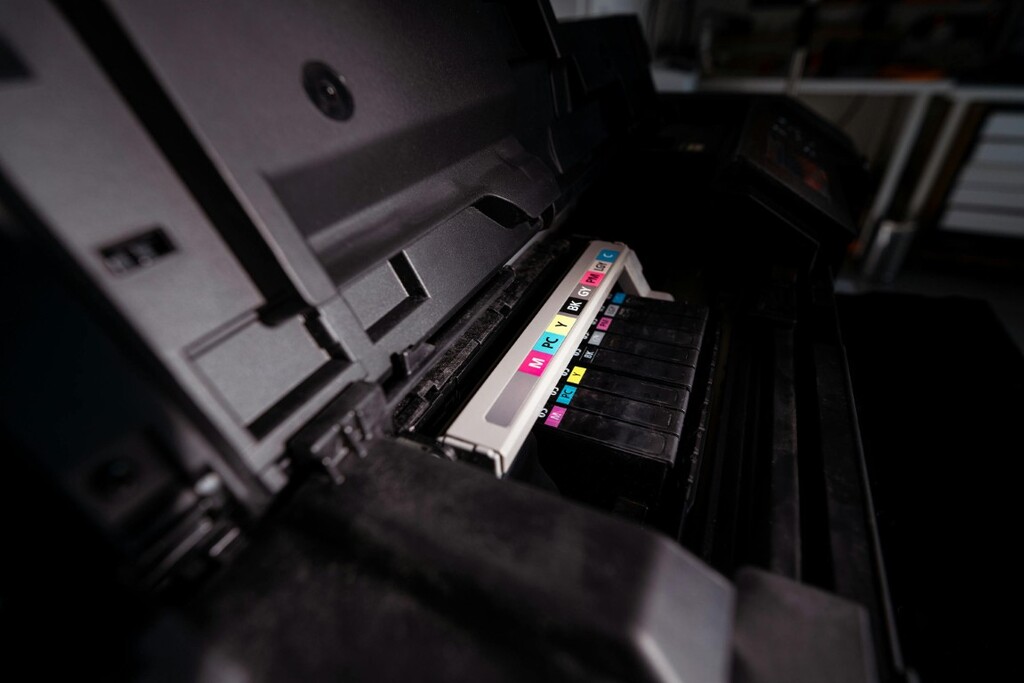
Inkjet printers apply liquid ink directly to the paper, making them especially effective for detailed color printing, images, and specialty media.
Laser printers use toner powder and heat to create the printed image. They are generally designed for faster document production and higher print volumes.
The biggest differences usually involve:
- Print speed.
- Color and image quality.
- Initial purchase price.
- Ongoing ink or toner costs.
- Recommended monthly print volume.
- Printer size and paper capacity.
When an Inkjet Printer Is Best for Your Office
Inkjet printers are often a strong choice for smaller offices, home offices, and businesses that need high-quality color output without producing hundreds of pages every day.
Because inkjets handle color gradients and fine details well, they are especially useful for offices that regularly print:
- Marketing materials.
- Presentations and proposals.
- Photographs.
- Color charts and graphics.
- Brochures or promotional pieces in smaller quantities.
- Documents on specialty paper.
Advantages of Inkjet Printers
- Strong color quality: Inkjets generally produce vivid images and detailed color graphics.
- Lower initial price: Many inkjet models cost less upfront than comparable laser printers.
- Compact size: Smaller units often work well in home offices and offices with limited space.
- Paper versatility: Many models can print on glossy, textured, photo, and specialty paper.
Potential Drawbacks of Inkjet Printers
- Slower printing: Inkjet models may not keep pace with busy offices producing large document volumes.
- Higher ongoing supply costs: Ink cartridges may require more frequent replacement.
- Ink maintenance: Ink can dry or clog when a printer sits unused for long periods.
- Longer drying time: Some prints may smudge if handled immediately.
Paper selection also affects inkjet performance. The right paper can improve color, sharpness, drying time, and overall presentation. Our guide to choosing the best copy paper for your office printer explains which specifications to compare.
When a Laser Printer Is Best for Your Office
Laser printers are typically the better fit for offices that produce large quantities of text-heavy documents and need reliable, fast printing throughout the workday.
They are especially common in:
- Corporate offices.
- Law firms.
- Financial institutions.
- Healthcare administrative offices.
- Government departments.
- Schools and universities.
Advantages of Laser Printers
- Faster print speeds: Laser printers are designed to process document-heavy workloads efficiently.
- Lower cost per page: Toner cartridges usually produce more pages than standard ink cartridges.
- Crisp text: Laser technology is ideal for contracts, reports, forms, and other professional documents.
- Reliable high-volume performance: Many models include larger paper trays and higher recommended monthly print volumes.
- Less risk of supplies drying out: Toner powder does not dry in the same way liquid ink can.
Potential Drawbacks of Laser Printers
- Higher upfront cost: Laser printers often require a larger initial investment.
- Larger footprint: High-capacity models may require more office space.
- Higher toner replacement price: Individual toner cartridges cost more, even though they generally last longer.
- Variable photo quality: Some color laser models may not reproduce photographs as accurately as a quality inkjet.
Busy offices should keep toner and other frequently used printing supplies available before they run out. Our upcoming guide to office supplies worth keeping in bulk will help you build a more dependable inventory system.
Compare Total Cost, Not Just the Printer Price
The purchase price is only one part of the cost of owning an office printer. A less expensive machine can become more costly over time if it uses expensive cartridges, requires frequent maintenance, or cannot efficiently handle your print volume.
Before choosing a model, compare:
- Printer purchase price.
- Replacement ink or toner costs.
- Estimated page yield per cartridge.
- Black-and-white and color cost per page.
- Recommended monthly print volume.
- Maintenance and replacement parts.
- Energy use.
- Expected lifespan.
For a business that prints only occasionally, an affordable inkjet may provide the best value. For an office printing hundreds or thousands of pages each month, a laser printer's lower cost per page can outweigh its higher initial price.
Choose Features That Match Your Workflow
Once you decide between inkjet and laser, compare the features that will affect daily use. A printer that looks affordable may create frustration if employees constantly refill paper, manually print both sides, or struggle to connect from different devices.
Useful office printer features include:
- All-in-one functionality: Printing, scanning, copying, and faxing in a single device can reduce equipment clutter.
- Automatic duplex printing: Double-sided printing helps reduce paper use and operating costs.
- Wireless and mobile printing: Employees can print from laptops, tablets, and smartphones without connecting directly to the machine.
- Cloud printing: Compatible printers can support teams working from multiple locations or shared platforms.
- Automatic document feeder: This makes scanning and copying multi-page documents much faster.
- Larger paper capacity: High-capacity trays reduce interruptions in busy offices.
- Multiple paper trays: Separate trays make it easier to switch between letterhead, envelopes, labels, and standard paper.
- Security controls: User authentication and secure print release help protect confidential documents.
Consider How Many Employees Will Use the Printer
A printer for one or two employees has very different requirements than a shared machine serving an entire department. Choosing a model that is too small for your team can lead to slowdowns, frequent supply changes, and premature equipment wear.
Before purchasing, consider:
- How many employees will regularly use the printer.
- How many pages your office prints each month.
- Whether most documents are black and white or full color.
- How frequently employees scan or copy documents.
- Whether confidential printing features are required.
- How quickly print jobs need to be completed.
A compact inkjet may be sufficient for an individual office, while a busy department may need a faster multifunction laser printer with higher paper and toner capacity.
Match the Printer to the Documents You Produce
The type of material your office prints should strongly influence your decision.
- Choose an inkjet printer when your office regularly produces photographs, marketing materials, detailed color graphics, or specialty prints in smaller quantities.
- Choose a monochrome laser printer when most of your output consists of contracts, forms, invoices, reports, and other black-and-white documents.
- Choose a color laser printer when your office needs fast document printing with occasional charts, presentations, or branded materials.
- Choose an all-in-one model when scanning, copying, and document management are part of your regular workflow.
Matching the printer to your actual output helps prevent overpaying for features you do not need while ensuring the machine can reliably handle the work you do every day.
Printer Supplies Matter Just as Much as the Machine
Even the right printer will underperform without dependable ink, toner, paper, and maintenance supplies. Poor-quality or incompatible products can reduce print clarity, cause jams, and create unnecessary equipment problems.
Keep these printing essentials available:
- Replacement ink or toner cartridges.
- Copy and multipurpose paper.
- Specialty paper for presentations or marketing materials.
- Labels and envelopes when required.
- Printer cleaning and maintenance supplies.
Planning supply orders before cartridges run empty helps prevent downtime and last-minute purchases. Many organizations simplify this process by using a monthly office supply inventory checklist to monitor commonly used products.
Inkjet vs. Laser Printer: Quick Comparison
- Best for high-quality color and photos: Inkjet
- Best for fast document printing: Laser
- Best for lower upfront cost: Inkjet
- Best for lower cost per page at higher volumes: Laser
- Best for compact offices: Often inkjet, depending on the model
- Best for contracts, reports, and forms: Laser
- Best for specialty paper and creative materials: Inkjet
- Best for larger teams and departments: Usually laser
Which Printer Is Right for Your Office?
Choose an inkjet printer when your office has relatively low print volume and needs excellent color quality, photo reproduction, or compatibility with specialty media.
Choose a laser printer when your team prints frequently, needs fast output, produces mostly text-based documents, or wants a lower long-term cost per page.
Some businesses may benefit from having both. A shared laser printer can handle everyday documents, while a smaller inkjet provides high-quality color output for presentations and promotional materials.
Find the Right Office Printer and Supplies
Choosing the best printer becomes much easier when you evaluate print volume, document type, operating costs, available space, and the features your employees use most often.
At OneSource Office Products, we help Alabama businesses select printers, paper, ink, toner, and accessories that fit their daily workflow and long-term budget. Our team can help you compare available options so you avoid purchasing equipment that is too limited, too expensive, or unnecessarily complicated.
Browse our office printers, or contact OneSource Office Products for help choosing the right printer and supplies for your business.
One Source... Infinite Possibilities...
At One Source Business Interiors, we believe where function and design collide, exceptional workspaces emerge. No matter how you work, our commitment remains steadfast: to create functional, yet beautiful spaces tailored for your team and your business. Ready to see the difference? Fill out the quote request form and discover the unique solutions we can offer.