
Ink vs. Toner: What’s the Difference and Which Does Your Office Need?
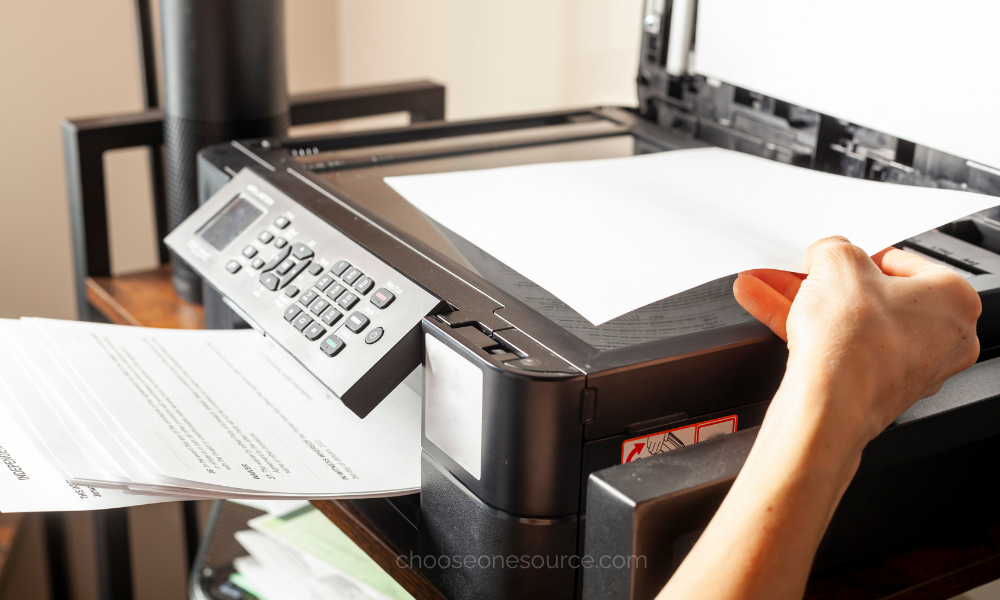
If your office owns a printer, you've probably purchased ink or toner at some point. But many people still use the terms interchangeably, even though ink and toner are completely different products designed for different types of printers.
Understanding the difference matters because choosing the wrong printing technology can affect everything from print quality and speed to how much your business spends per page.
An office that prints occasional color presentations has very different needs from a law firm producing hundreds of black-and-white documents every day. The right combination of printer, ink or toner, and paper can make office printing faster, more reliable, and more cost-effective.
At OneSource Office Products, we help Alabama businesses choose printers and printing supplies that fit the way they actually work. Here's what you need to know about ink vs. toner before placing your next order.
What Is the Difference Between Ink and Toner?
The simplest difference is this:
- Ink is a liquid used in inkjet printers.
- Toner is a fine powder used in laser printers.
Those different materials require completely different printing processes.
Inkjet printers place tiny droplets of liquid ink onto the paper to form text and images. Laser printers use an electrostatic process to position toner powder before heat bonds it to the paper.
Neither technology is automatically better. The right choice depends on what your office prints, how often you print, and the quality, speed, and operating costs that matter most to your business.
How Ink Cartridges Work
Ink cartridges contain liquid ink that an inkjet printer deposits onto the page through extremely small nozzles.
Because liquid ink can reproduce subtle variations in color, inkjet printers are commonly used when image quality is especially important.
Ink can be a strong option for offices that regularly print:
- Photographs.
- Marketing materials.
- Color-heavy presentations.
- Charts and graphics.
- Specialty media.
- Smaller quantities of high-quality color documents.
Inkjet printers also tend to be available in compact sizes, making them practical for individual offices, home offices, or departments with relatively light printing needs.
How Toner Cartridges Work
Toner cartridges contain a fine powder rather than liquid. A laser printer uses static electricity to create an image on a drum, transfers the toner to the page, and then uses heat to permanently fuse that toner to the paper.
This process is especially effective for quickly producing crisp text and large quantities of business documents.
Laser printers and toner are commonly used for:
- Contracts.
- Invoices.
- Reports.
- Forms.
- Financial documents.
- Training materials.
- High-volume everyday printing.
If you're still deciding which printing technology fits your workplace, comparing how inkjet and laser printers perform under different office workloads is the best place to start.
Ink vs. Toner: Which Costs Less?
The answer depends on how much you print.
Inkjet printers often cost less to purchase initially, but replacement cartridges may produce fewer pages. For offices that print frequently, that can increase the long-term cost per page.
Laser printers often require a larger upfront investment, and toner cartridges can cost more individually. However, toner cartridges typically produce substantially more pages, which can make laser printing more economical for high-volume offices.
Instead of comparing only cartridge prices, businesses should consider:
- Cartridge page yield.
- Cost per page.
- Monthly print volume.
- Black-and-white versus color usage.
- Printer maintenance.
- How frequently cartridges need replacement.
This is a good example of why lowering office expenses isn't always about selecting the cheapest individual product. Evaluating the total cost of the supplies your office uses over time usually leads to better purchasing decisions.
Which Lasts Longer: Ink or Toner?
For comparable office workloads, toner cartridges generally produce more pages before replacement than standard ink cartridges.
Another important difference is storage.
Because toner is a dry powder, it doesn't dry out in the way liquid ink can. Ink cartridges that sit unused for extended periods can occasionally experience dried ink or clogged printheads, depending on the printer and environment.
That makes toner especially useful for offices that want replacement cartridges available in storage or businesses where printing occurs irregularly, but cartridges need to remain ready for use.
Which Produces Better Print Quality?
It depends on what you're printing.
Inkjet Is Often Better for Detailed Color
Inkjet technology can reproduce subtle color transitions, gradients, and photographic detail particularly well.
That makes it a strong choice for:
- Photography.
- Design proofs.
- Marketing presentations.
- Image-heavy documents.
Laser Is Excellent for Crisp Text
Laser printers excel at producing sharp, consistent text quickly, which is why they're common in document-heavy business environments.
They're particularly useful for:
- Legal documents.
- Financial reports.
- Administrative paperwork.
- Business correspondence.
- Large print jobs.
Modern color laser printers can also produce excellent business graphics, making them a practical compromise for organizations that primarily print documents but occasionally need professional color output.
Your Paper Matters Too
Ink and toner are only part of the printing equation. The paper you choose can significantly affect how the finished document looks and performs.
Paper weight, brightness, opacity, coating, and printer compatibility all influence print quality.
For example:
- Inkjet printing may benefit from paper designed to control liquid ink absorption.
- Laser printers perform best with paper designed to tolerate the heat used during toner fusing.
- Heavier paper can reduce show-through when documents are printed on both sides.
- Brighter paper can improve contrast for presentations and client-facing materials.
Matching the stock to the job helps you get more from both your printer and your supplies. Understanding how paper weight, brightness, finish, and printer type affect the final result can prevent wasted prints and unnecessary expense.
Should Your Office Keep Extra Ink or Toner?
Usually, yes, but that doesn't mean filling an entire cabinet with cartridges.
For critical office printers, having at least one replacement cartridge available helps prevent downtime when the current cartridge runs out unexpectedly.
The amount you keep on hand should depend on:
- Monthly print volume.
- How quickly replacement supplies can be delivered.
- The number of printers using the same cartridge.
- Available storage space.
- Whether printing is essential to daily operations.
High-volume workplaces may benefit from maintaining a larger reserve, while offices that print occasionally may only need one replacement cartridge per machine.
This is where a good inventory system becomes valuable. Instead of guessing, a monthly review of printer supplies and other frequently used products helps you reorder before inventory reaches a critical level.
Don't Overstock Cartridges You May Never Use
Buying printing supplies in larger quantities can save money, but printer cartridges require a little more planning than products like copy paper or pens.
Avoid stocking excessive quantities when:
- The printer may be replaced soon.
- Your office is changing equipment.
- The cartridge is unique to only one rarely used machine.
- Your print volume is very low.
The goal is to maintain enough inventory to avoid downtime without tying up money in supplies your business may never use. That same principle applies when deciding which office supplies are genuinely worth purchasing in larger quantities.
Can You Use Generic or Compatible Ink and Toner?
Businesses often encounter original equipment manufacturer (OEM), compatible, and remanufactured cartridge options.
These categories aren't necessarily equal in quality, so purchase decisions should consider more than price alone.
When evaluating replacement cartridges, compare:
- Compatibility with your exact printer model.
- Expected page yield.
- Warranty or quality guarantee.
- Print consistency.
- Cost per page.
A less expensive cartridge isn't a bargain if it produces inconsistent prints, leaks, requires early replacement, or isn't compatible with your equipment.
What Does Page Yield Mean?
Page yield is the estimated number of pages a cartridge can print under standardized test conditions.
It's one of the most useful specifications when comparing ink or toner because two similarly priced cartridges may produce dramatically different numbers of pages.
Actual yield can vary depending on:
- How much ink or toner is used on each page.
- Whether documents contain large graphics.
- Color versus black-and-white printing.
- Printer settings.
- The type of documents your office produces.
That means cartridge price alone doesn't tell you whether one option is more economical than another.
High-Yield Cartridges May Lower Your Cost Per Page
Many printers offer standard-yield and high-yield cartridge options.
High-yield cartridges typically contain more ink or toner and cost more upfront, but they can reduce the cost per printed page for offices with consistent print volume.
They're particularly useful when:
- Your office prints frequently.
- Multiple employees share the same printer.
- Replacing cartridges interrupts workflow.
- You want to reduce the frequency of supply orders.
For lightly used printers, however, the additional capacity may not always be necessary. Matching cartridge size to actual usage gives you better control over printing costs.
Make Cartridge Management Easier
One surprisingly common office problem is having a cabinet full of cartridges without knowing which printer they fit.
Create a simple system by labeling replacement cartridges with:
- The printer model.
- The department or location.
- The cartridge number.
- The date purchased.
Keep related cartridges together and make sure employees know where replacement supplies are stored.
An organized supply room makes it much easier to track those products and prevents duplicate orders. If cartridges, paper, and miscellaneous supplies have started taking over your storage area, a clearly labeled office supply system can make inventory dramatically easier to manage.
Recycle Empty Ink and Toner Cartridges When Possible
Empty printer cartridges create unnecessary waste when they're simply thrown away. Many manufacturers, suppliers, and recycling programs accept used cartridges for recycling or remanufacturing.
Before disposal, check whether your cartridge manufacturer provides a return or recycling program.
Businesses working toward broader sustainability goals can also reduce waste through recycled paper, refillable products, smarter purchasing, and other practical office supply choices that support a more sustainable workplace.
Ink vs. Toner: A Quick Comparison
- Ink: Liquid used by inkjet printers.
- Toner: Powder used by laser printers.
- Best for detailed color and photographs: Usually ink.
- Best for high-volume text documents: Usually toner.
- Lower printer purchase price: Often inkjet.
- Lower cost per page at high volume: Often laser and toner.
- Longer cartridge storage without drying: Toner.
- Best overall choice: The one that matches your actual printing workload.
Which Does Your Office Need?
Choose ink when your office prints relatively small quantities and places a high priority on detailed color, photographs, or specialty materials.
Choose toner when your business prints large quantities of reports, contracts, forms, invoices, or other text-heavy documents and needs fast, dependable output.
Some organizations use both. A shared laser printer can handle everyday business documents while an inkjet printer provides high-quality color output for marketing or presentation materials.
The most cost-effective solution isn't determined by the cartridge alone. It comes from matching the printer, supplies, paper, and expected workload to the way your office actually operates.
Find the Right Ink, Toner, and Printing Supplies
Finding the correct replacement cartridge shouldn't require staring at a wall of nearly identical model numbers.
At OneSource Office Products, we help Alabama businesses find ink, toner, paper, printers, and other printing supplies that match their equipment and workflow. Whether you're replacing a single cartridge or managing supplies for an entire organization, our team can help you avoid ordering mistakes while keeping essential printing products available when you need them.
Working with a dependable local supplier can also make replacements much easier when a cartridge runs unexpectedly low. Faster service and knowledgeable support are among the reasons businesses often save time by keeping their everyday supply purchasing close to home.
Need ink or toner for your office printer? Shop online or contact OneSource Office Products and we'll help you find the right cartridge for your equipment.
One Source... Infinite Possibilities...
At One Source Business Interiors, we believe where function and design collide, exceptional workspaces emerge. No matter how you work, our commitment remains steadfast: to create functional, yet beautiful spaces tailored for your team and your business. Ready to see the difference? Fill out the quote request form and discover the unique solutions we can offer.