
How to Pick the Best Office Chair for Comfort & Productivity

The right office chair can make a noticeable difference in how you feel and perform throughout the workday. Whether you sit for a few hours or spend most of the day at a desk, supportive seating can improve comfort, encourage better posture, and help reduce the fatigue that makes it harder to stay focused.
With so many task chairs, executive chairs, conference chairs, and ergonomic seating options available, choosing the right one can feel overwhelming. The key is understanding which features matter most for your body, your workstyle, and the amount of time you spend sitting.
At OneSource Office Products, we help Alabama businesses compare office chairs based on comfort, adjustability, durability, and budget. This guide explains what to look for so you can choose seating that supports both productivity and long-term workplace comfort.
Why Choosing the Right Office Chair Matters
An office chair is not simply another piece of furniture. It is one of the tools employees use most throughout the workday. Poorly fitted seating can contribute to discomfort, fatigue, slouching, and unnecessary strain on the back, neck, shoulders, hips, and legs.
A well-designed office chair can help:
- Support a more natural sitting posture.
- Reduce pressure on the lower back and legs.
- Make it easier to adjust positions throughout the day.
- Improve comfort during focused work.
- Support employees with different body types and workstyles.
- Create a more professional and productive workstation.
Furniture choices are only one part of a productive workplace, but they have a direct impact on the employee experience. Our guide to how thoughtful office design supports productivity and employee well-being explains how seating, layout, lighting, and other design decisions work together.
Start with Proper Seat Height
Seat height is one of the most important adjustments on any office chair. When the chair is positioned correctly, your feet should rest comfortably on the floor or on a footrest, with your knees near a 90-degree angle.
A chair that sits too high may place pressure behind the knees and leave the feet unsupported. A chair that sits too low can raise the knees above the hips and make it harder to maintain a comfortable position.
Look for a chair with:
- A simple pneumatic height adjustment.
- A range that accommodates the primary user.
- Controls that can be reached while seated.
- Enough flexibility for shared workstations when multiple employees use the same chair.
Look for Adjustable Lumbar Support
Lumbar support helps maintain the natural curve of the lower spine. Without adequate support, employees may begin leaning forward or slouching as the workday continues.
Some chairs provide fixed lumbar shaping, while others allow the support to be moved vertically or adjusted for firmness. Adjustable options are especially useful in shared offices because different users may need support in different positions.
When testing lumbar support, make sure it:
- Fits comfortably into the curve of the lower back.
- Provides support without creating an uncomfortable pressure point.
- Remains useful when the chair reclines.
- Can be adjusted easily when multiple employees share the chair.
Choose the Right Seat Depth and Width
The chair seat should support the hips and thighs without pressing against the back of the knees. A seat that is too deep may encourage slouching, while one that is too shallow may not provide enough support.
A commonly used guideline is to leave approximately two to four inches between the front edge of the seat and the back of the knees, although the most comfortable fit can vary by user.
Consider:
- The width of the seat.
- The depth of the seat pan.
- Whether the chair offers a sliding seat adjustment.
- The shape and firmness of the seat cushion.
- The chair's listed weight capacity.
Do Not Overlook Adjustable Armrests
Armrests support the elbows and forearms, helping reduce tension in the shoulders and upper back. However, armrests that are too high, too low, too wide, or too close together can interfere with comfortable posture.
Useful armrest adjustments may include:
- Height adjustment.
- Width adjustment.
- Forward and backward movement.
- Pivoting arm pads.
The ideal position allows the shoulders to remain relaxed while the elbows rest comfortably near the sides of the body. Armrests should also allow the chair to move close enough to the desk for proper keyboard and monitor positioning.
Consider Recline and Tilt Controls
Sitting in one fixed position for hours can become uncomfortable even in a high-quality chair. Recline and tilt controls allow users to shift positions, reduce pressure, and move more naturally throughout the workday.
Helpful features include:
- Tilt tension adjustment.
- Multiple recline positions.
- Tilt lock controls.
- A backrest that moves with the user.
- A balanced recline that feels controlled and supportive.
The best chair does not force the body into one rigid posture. It supports comfortable movement while helping the user remain stable during focused work.
Compare Mesh, Fabric, and Upholstered Chairs
Chair material affects airflow, cushioning, maintenance, durability, and appearance. There is no single material that works best for every office.
Mesh Office Chairs
Mesh backs promote airflow and are often a strong choice for warm offices or employees who prefer a lighter, more flexible feel.
Fabric Office Chairs
Fabric seating offers a wide range of colors, textures, and cushioning options. Commercial-grade fabrics can provide durability while supporting the overall office design.
Vinyl or Leather-Style Chairs
These chairs often create a polished executive appearance and may be easier to wipe clean, depending on the material. They can work well in executive offices, conference rooms, and client-facing areas.
When selecting seating as part of a larger office project, it helps to consider how chairs work with desks, workstations, layouts, and the overall employee experience. Our guide to choosing office furniture that balances comfort, function, and appearance explores those broader decisions.
Choose the Right Chair for Your Workstyle
Not every employee works the same way, and not every office chair should be the same. The best chair depends on how long someone sits, the type of work they perform, and the environment where the chair will be used.
For Full-Time Desk Work
Employees who spend most of the day at a computer benefit from ergonomic task chairs with adjustable lumbar support, armrests, seat depth, and recline features.
For Conference Rooms
Conference seating should balance comfort with a clean, professional appearance. Since meetings are typically shorter than a full workday, these chairs often prioritize mobility and aesthetics while still providing adequate support.
For Executive Offices
Executive chairs often feature premium materials, higher backs, additional cushioning, and enhanced adjustability while complementing the overall office design.
For Standing Desks
Height-adjustable stools or drafting chairs allow employees to alternate between sitting and standing while maintaining proper posture.
For Shared Workstations
Offices with rotating employees or hoteling workstations should prioritize chairs with simple, intuitive adjustments that accommodate a variety of users.
As more organizations embrace hybrid work models, furniture flexibility has become increasingly important. Our guide to creating flexible workspaces for hybrid teams explores how adaptable furniture supports today's evolving workplaces.
Look Beyond Price and Consider Long-Term Value
While budget is always a consideration, the least expensive chair is not always the most economical choice. A higher-quality chair that lasts longer and provides better support can reduce replacement costs while improving employee comfort and productivity.
When comparing office chairs, consider:
- Warranty coverage.
- Commercial-grade construction.
- Replacement part availability.
- Daily usage expectations.
- Overall durability.
Investing in quality office furniture often delivers benefits that extend well beyond the initial purchase. Our article on the return on investment of quality office furniture explains why many businesses choose to prioritize long-term value over short-term savings.
Popular Office Chair Brands Available at OneSource Office Products
OneSource Office Products offers more than 1,000 office chair options from trusted commercial furniture manufacturers. Whether you're furnishing a home office, replacing a single workstation, or outfitting an entire office, we can help you find seating that fits your needs and budget.
Popular brands include:
- HON for professional-grade ergonomic seating.
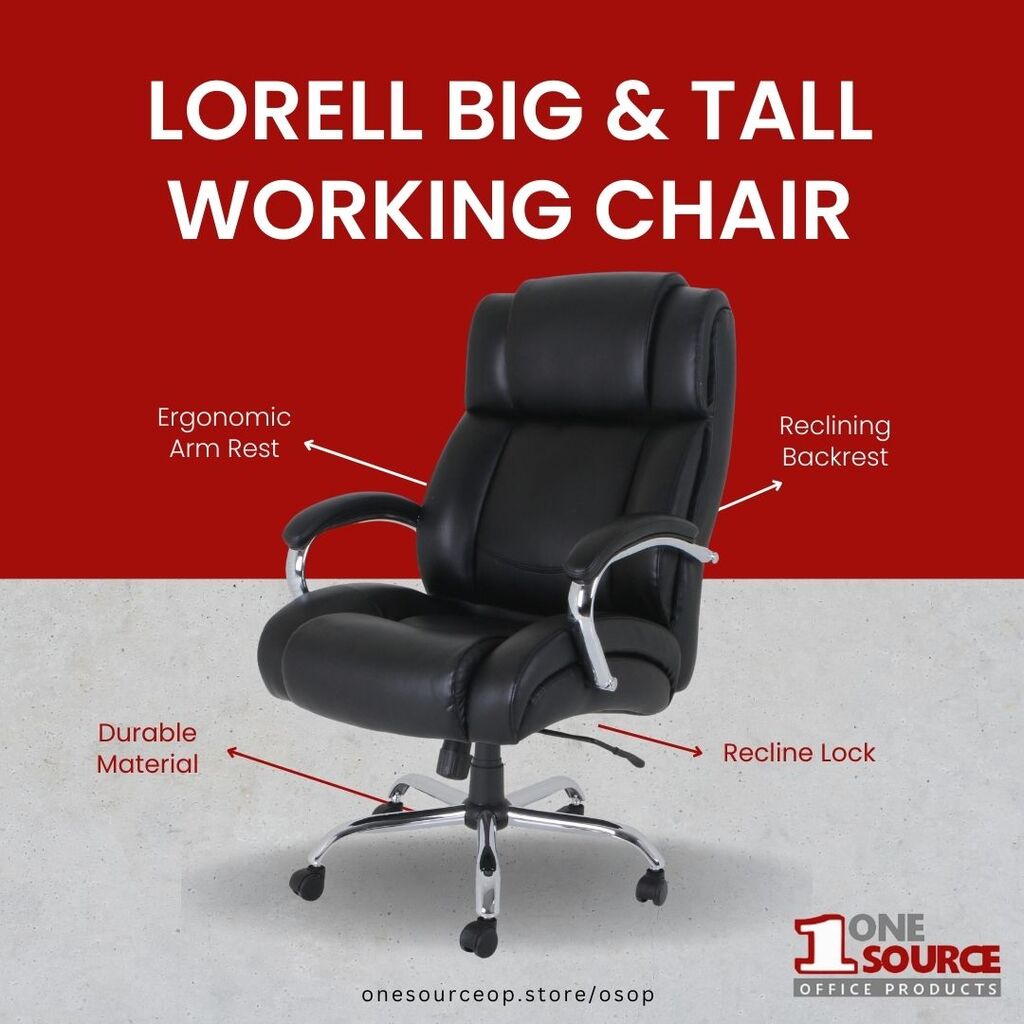
- Lorell for dependable, affordable office chairs.
- Alera for adjustable seating designed for everyday workplace comfort.
- Many additional commercial seating brands for executive offices, conference rooms, reception areas, and collaborative workspaces.
Why Alabama Businesses Choose OneSource Office Products
Finding the right office chair shouldn't require guessing between hundreds of similar models. Our team helps businesses compare features, understand their options, and select seating that fits both their workspace and their budget.
When you work with OneSource Office Products, you receive:
- More than 1,000 office chair options.
- Expert product recommendations.
- Competitive pricing.
- Fast, free local delivery throughout much of Alabama.
- Personal service from a local office products partner.
Many organizations also appreciate the convenience of working with a local supplier who understands their business. Learn more about why buying office supplies locally saves businesses time and money.
Find an Office Chair That Works as Hard as You Do
The right office chair supports comfort, encourages better posture, and helps employees stay productive throughout the day. Whether you're furnishing a new office, replacing outdated seating, or upgrading an entire workplace, investing in quality ergonomic seating is an investment in your team.
At OneSource Office Products, we make it easy to compare office chairs, choose trusted brands, and receive fast local delivery throughout Alabama. With more than 1,000 seating options available, we'll help you find the right solution for every workspace.
Browse our selection of ergonomic office chairs today and discover seating designed for comfort, productivity, and long-term performance.
One Source... Infinite Possibilities...
At One Source Business Interiors, we believe where function and design collide, exceptional workspaces emerge. No matter how you work, our commitment remains steadfast: to create functional, yet beautiful spaces tailored for your team and your business. Ready to see the difference? Fill out the quote request form and discover the unique solutions we can offer.